Repeat Timer  /  Platform update

Repeat Timer:

Ready for
iOS 27.

SwiftUI, Foundation Models, App Intents, Liquid Glass, resizable iPhone screens, AlarmKit, an Apple Watch app & much more.

Liquid Glass Foundation Models AlarmKit watchOS App Intents
Download on the App Store
Repeat Timer app icon
#1 Repeat Timer app since 2013

800k+ downloads, 4.5 average rating

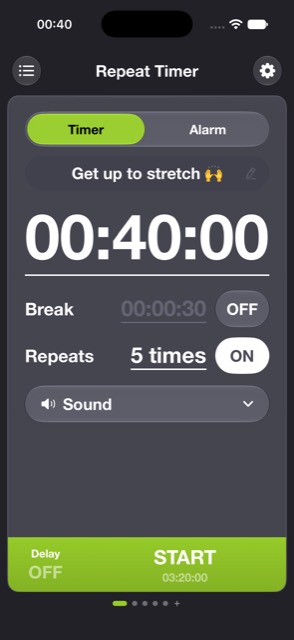
  • Set a repeatable timer for the everyday things - workouts, focus blocks, steeping tea, a quick stretch.
  • Add a Break between rounds and a Repeat count, and the whole set runs on its own.
  • One screen holds the countdown, the interval, repeats, a start delay, and a per-timer sound.
  • Notifications that keep you alert.
Timer screen: 40 minute countdown with break and repeat controls
Alarm  /  AlarmKit

NEW: Alarms that keep a schedule.

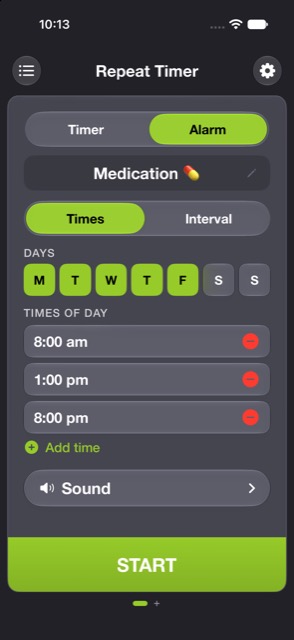
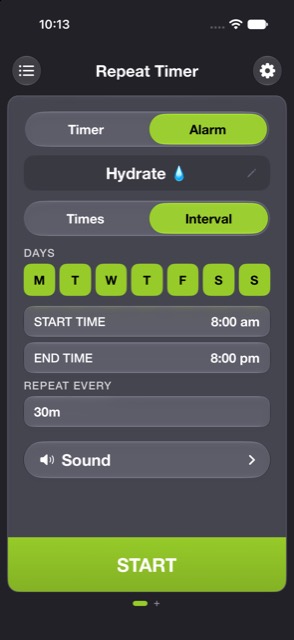
For medication, water, or an hourly nudge - recurring alarms, powered by AlarmKit, on the days you choose, at set clock times or on a repeating interval inside a window.

Alarm set to specific times of day
Times   8am, 1pm, 8pm on weekdays
Alarm repeating on an interval
Interval   every 30m, 8am to 8pm
On-device intelligence  /  Foundation Models

See it, say it, time it

You say“Twenty minute timer, four rounds, fifteen second breaks.”
You say“Remind me to drink water every 30 minutes, 8am to 8pm on weekdays.”
You say“Skip my alarms until Monday.”
watchOS

On the wrist too.

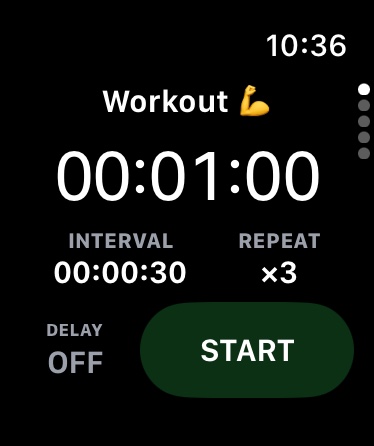
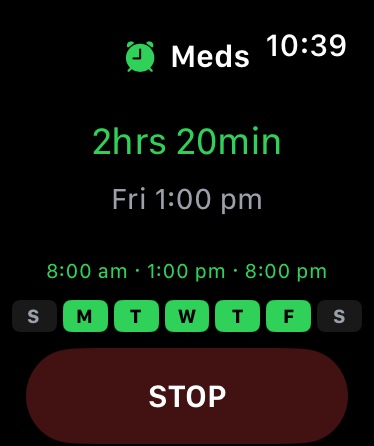
  • A companion Apple Watch app carries your timers and alarms to the wrist.
  • Run a timer right on the watch, and start or stop an alarm without reaching for the phone.
  • State stays in sync through the shared timer engine.
Workout timer running on Apple Watch
Timer   runs on the watch
Medication alarm on Apple Watch
Alarm   next dose in 2 hrs
Adaptive layout

One app, every width.

  • The layout follows the available width.
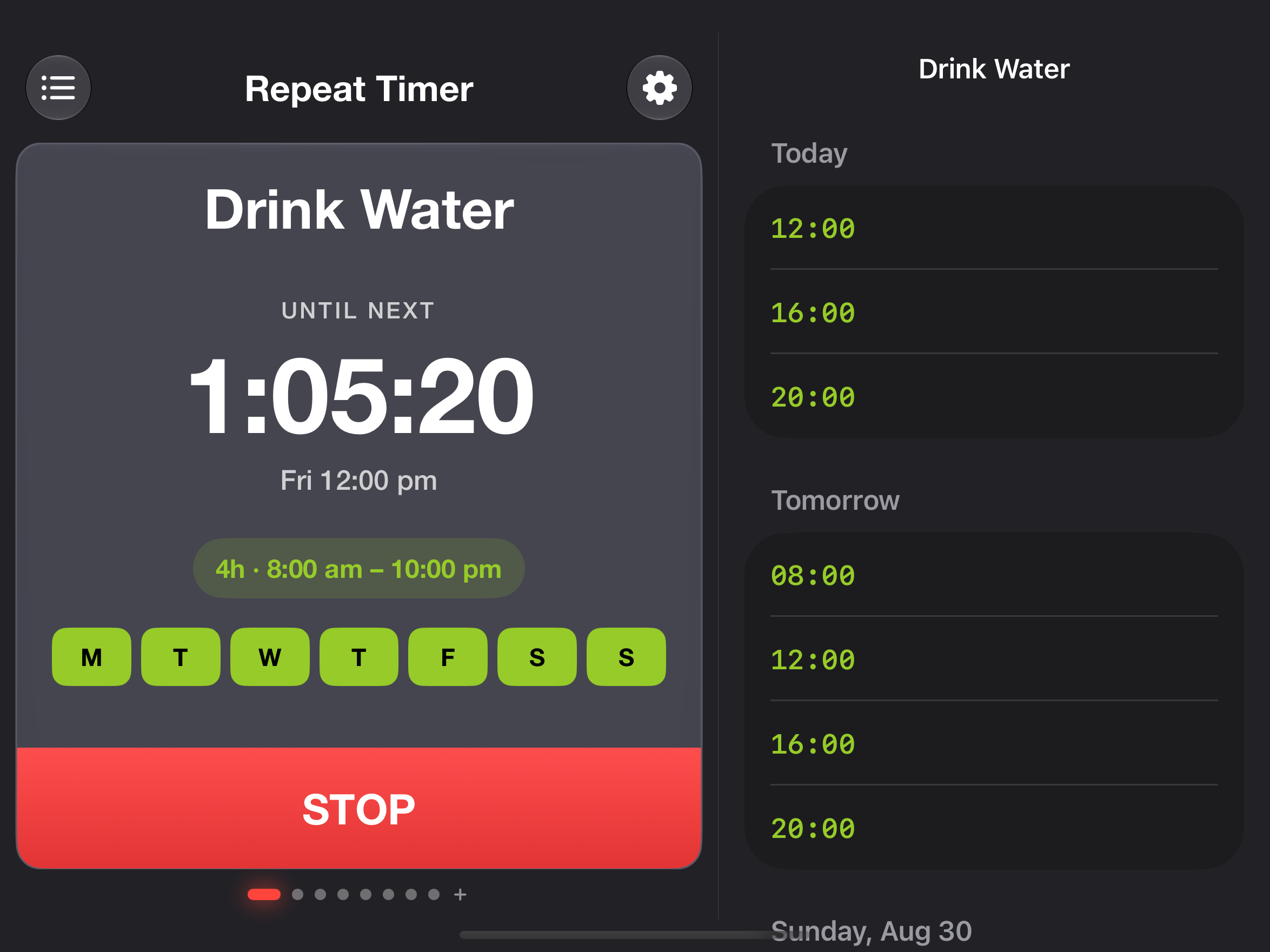
  • A resized iPhone window and iPad both get the same wide view - the detail on one side, more room on the other.
  • The second column surfaces Upcoming - every alarm and timer in the order it will fire.
Wide two-column layout: a running alarm beside the upcoming schedule of alarm times
Siri  /  App Intents  /  Spotlight

Reachable from everywhere on the system.

01

Start hands free

Start a timer with Siri without opening the app. It runs in the background and shows a Live Activity while it counts down.

02

Create and skip

Create a timer, or skip alarms until a date, by voice or from the Shortcuts app. The intents carry real parameters.

03

Found in Spotlight

Every timer is indexed in Spotlight. Search its name from the Home Screen and open straight to it.

04

Live Activities

A running timer posts a self-updating Live Activity, so the countdown stays visible without the app in front.

Repeat Timer app icon

Repeat Timer, ready for what's next.

Applorium  ·  Repeat Timer